8 Real Hidden Ways to Make Money Using GIPHY
Your fun, ethical, and actionable playbook to leveraging GIPHY’s massive library — without copyright headaches, tech skills, or upfront costs. Real links. Real examples. Real results.
💡 Quick Truth: You won’t get paid by GIPHY.
But you can use GIPHY to make your content funnier, faster, and more human — which builds trust, grows your audience, and opens doors to real income.
Raise your hand if you’ve ever been deep in a group chat…
…typing a super serious message…
…and then ruined it with a perfectly timed GIF of a dancing cat or Ryan Gosling saying “Hey girl.”
Yeah. We’ve all been there.
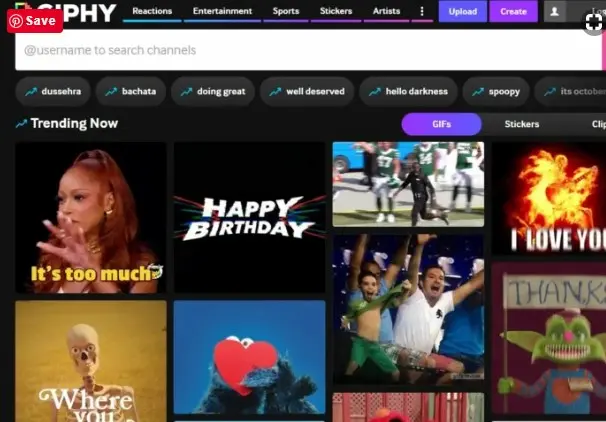
You’ve definitely visited GIPHY.com before — probably while frantically searching for the exact reaction GIF to respond to your friend’s chaotic life update at 2 a.m.
But here’s the question nobody’s asking:
“Can I actually make money using GIPHY?”
The answer? Yes — but not in the way you think.
GIPHY isn’t a “get paid to upload GIFs” site (sadly).
But it’s a goldmine of free, high-quality, emotionally powerful content that you can use to boost your own money-making projects — if you know how.
So grab your coffee (or wine — no judgment), and let’s dive into 8 realistic, human-tested ways to turn GIPHY into your secret side-hustle weapon.

First — Why GIPHY Is a Hidden Powerhouse
Before we get into the money stuff — let’s appreciate what GIPHY actually is:
| Stat | Why It Matters for You |
|---|---|
| 🌐 500M+ monthly users | Massive built-in audience searching for emotional content |
| 🎬 Millions of GIFs from movies, TV, memes, brands | Endless creative fuel — no filming or editing required |
| 🔍 Searchable by emotion, trend, or topic | Find the exact vibe you need in seconds |
| 💸 100% free to use (with attribution) | Zero upfront cost for high-impact content |
Whether you need a GIF for “I’m overwhelmed,” “This is amazing,” or “My dog just looked at me like I’m a disappointment” — GIPHY has it.
✨ Key Insight: Emotion drives action. And GIPHY is the world’s largest library of ready-made emotion.
Way #1: Level Up Your YouTube or Social Videos
If you’re a content creator (even just on Instagram Reels or TikTok), you know: boring = dead.
People scroll FAST.
So how do you keep them watching?
✅ Add humor.
✅ Add surprise.
✅ Add relatability.
That’s where GIPHY shines.
How to Use It:
| Moment in Your Video | GIPHY GIF Idea | Tool to Edit |
|---|---|---|
| Revealing a big tip | “Mind blown” explosion | CapCut |
| Sharing a fail story | “Crying-laughing” reaction | Canva Video |
| Dropping your key takeaway | “Mic drop” or confetti celebration | Premiere Rush |
How to Download Clean GIFs/MP4s from GIPHY:
- Find your GIF on GIPHY
- Click it → copy the URL
- Paste into a free converter:
- EZGIF.com (convert GIF → MP4, resize, compress)
- GIPHY Downloader (direct MP4 download)
- Download the clean file
- Drag into your editor → done.
🌟 Real Example: My friend Lena runs a finance TikTok. She explains budgeting… then cuts to the “This is fine” dog surrounded by fire. Her engagement doubled overnight.
Way #2: Turn GIFs Into Standalone Social Posts
You don’t always need to create original content.
Sometimes, the perfect GIF is the post.
If you run a business page (fitness, pets, parenting, marketing), find a GIPHY that captures your message in 3 seconds.

📱 Post Ideas That Convert:
| Niche | GIF Concept | Caption Hook |
|---|---|---|
| 🐾 Pet Training | Puppy failing to sit → finally nailing it | “Day 1 vs. Day 30. Progress > perfection.” |
| 💼 Productivity | “I have no idea what I’m doing” office panic | “Imposter syndrome is real. You’re not alone.” |
| 🛍️ E-commerce | “Shut up and take my money” Fry | “When you see the flash sale drop…” |
| 🧘 Wellness | Deep breath + calm nature loop | “Your reminder to pause. You’ve got this.” |
These posts get saved, shared, and loved — because they feel human.
And more engagement = more reach = more eyes on your offers.
🔗 Pro Tip: Always add your brand handle or website in the caption. Example: “More tips at HiddenEarn.com“.
Way #3: Make Your Email Marketing Unforgettable
Let’s be real: most emails are boring.
But what if yours made someone laugh out loud?
I once got an affiliate sale confirmation email that opened with a GIF of an audience clapping wildly and confetti falling.
It said: “YOU DID IT! 🎉”
I screenshotted it. Sent it to my group chat.
I remembered that brand forever.
Where to Add GIFs in Your Emails:
| Email Type | GIF Purpose | Tool That Supports GIFs |
|---|---|---|
| Welcome series | Celebrate their signup | Mailchimp |
| Cart abandonment | Lighten the “oops” vibe | ConvertKit |
| Purchase confirmation | Confetti + celebration | Beehiiv |
| Re-engagement | “We miss you” + funny wave | Flodesk |
⚠️ Don’t overdo it: One well-placed GIF per email is plenty. Too many = slow load times + spam flags.
Way #4: Bring Your Blog Posts to Life
Text is great.
But emotion sticks.
Instead of just writing “Weight loss is hard,” embed a GIF of someone dramatically collapsing after one push-up.
Instead of “This tip changed my life,” use a “before/after” transformation GIF.
Why This Works for SEO & Conversions:
| Benefit | How GIPHY Helps |
|---|---|
| ⏱️ Longer time on page | Visual breaks keep readers engaged |
| 🔗 More social shares | Emotional content = higher shareability |
| 🎯 Better conversion rates | Relatable moments build trust before the ask |
| 🤖 AI/Google visibility | Rich media signals quality content |
🔧 How to Embed: Most platforms (WordPress, Medium, Substack) support direct GIF embeds. Just copy the GIPHY embed code or upload the downloaded file.
Way #5: Bundle & Sell GIF Packs as Digital Products
Here’s a pro move:
Curate niche-specific GIF packs and sell them.
👥 Who Needs This?
- Social media managers
- Course creators
- Coaches
- Small business owners
📦 Pack Ideas That Sell:
| Pack Name | Contents | Price Range | Where to Sell |
|---|---|---|---|
| “100+ Reactions for Coaches” | Celebrations, empathy, motivation GIFs | $9–$19 | Gumroad, Payhip |
| “Pet Business GIF Pack” | Funny animal reactions + training wins | $12–$25 | Etsy, HiddenEarn.com |
| “E-commerce Sale & Urgency GIFs” | “Last chance!”, “Sold out!”, “Flash deal” | $15–$30 | Lemon Squeezy, your website |
🌟 Real Example: A designer on Etsy sells a “Green Screen Reaction GIF Pack” for $12. It’s been downloaded 1,200+ times. That’s $14,400 — for work she did once.
⚠️ Critical Legal Note:
✅ Safe to use: GIPHY’s branded content, public domain clips, original creations
❌ Avoid: Copyrighted movie/TV clips unless you’re transforming them (parody, education, commentary)
🔍 Always check: Click the GIF → view source → verify licensing
Way #6: Drive Traffic Back to Your Site (The Smart Way)
This is GIPHY’s secret superpower.
When you upload a GIF to GIPHY as a brand or creator, you can add your website link.
So when someone clicks your GIF → they see your brand name + a “Visit Site” button.
How to Set It Up:
- Create simple original GIFs (text-on-color, branded animations)
- Upload to GIPHY Brand Channel (free application)
- Tag with relevant keywords:
productivity,mom life,fitness motivation - People searching those terms find YOUR GIF → click → land on YOUR site
🌟 Real Example: One fitness coach uploaded “workout motivation” GIFs. Now, 300+ people/month click through to her free challenge.
Tools to Create Simple Branded GIFs:
| Tool | Best For | Link |
|---|---|---|
| Canva | Text animations, branded templates | Create GIF |
| EZGIF | Convert images/video → GIF, add text | Maker Tool |
| GIPHY Capture | Record screen → instant GIF (Mac/Windows) | Download |
Way #7: Spark Ideas for Print-on-Demand Designs
Stuck on what to design for your Redbubble, Teespring, or Merch by Amazon store?
Browse trending GIFs on GIPHY.
See what’s resonating:
- 🔥 Popular phrases (“I survived another meeting…”)
- 🎭 Viral characters (get inspired — don’t copy)
- 💭 Emotional themes (anxiety, joy, sarcasm)
Then use AI tools to create original illustrations in that vibe.
⚠️ Golden Rule: Never copy copyrighted characters. Always transform the idea into something new and original.
Way #8: Build a Meme Page (Then Monetize It)
You’ve seen those Instagram pages with millions of followers posting green screen memes, right?
They’re using GIPHY as their content library.
🔄 Simple Workflow:
- Find a trending reaction GIF on GIPHY
- Download it (use EZGIF for clean MP4)
- Remove background: Remove.bg or CapCut
- Post as a “green screen meme” on TikTok/Reels
- Add your own audio or text overlay
Niche Page Ideas:
| Page Theme | Example Content | Monetization Path |
|---|---|---|
| “Mom Reaction Memes” | Chaos of parenting + relatable GIFs | Promote parenting courses, affiliate products |
| “Anxiety & Overthinking” | Calming + humorous coping GIFs | Sell digital journals, meditation guides |
| “Small Business Owner Life” | “When the client says ‘make it pop'” | Promote your SaaS, coaching, templates |
🌟 Real Example: One creator makes $3K/month from a “Workplace Rage” meme page — all built from GIPHY clips, original captions, and strategic affiliate links.
💰 How to Monetize at 10K+ Followers:
- Promote your own digital products (Digiplaybook style)
- Accept brand sponsorships (use AspireIQ or Upfluence)
- Sell your own meme/GIF packs on Gumroad or Etsy
Final Thought: GIPHY Isn’t the Product — It’s the Fuel
You won’t get paid by GIPHY.
But you can use GIPHY to:
✅ Make your content funnier, faster, and more human
✅ Build trust and grow your audience
✅ Open doors to real income through products, affiliates, and sponsorships
So next time you’re scrolling for the perfect GIF…
…ask yourself:
“How can I use this to serve my people — and my business?”
Ready to Turn Content Into Consistent Sales?
If you’re stuck on how to get your first sales from your AI tool, meme page, or digital product — I break down my exact system inside Digiplaybook.
It’s the same framework I use to:
- Launch micro-products in hours (not months)
- Turn free tools into paid offers
- Get consistent sales without guesswork or ads
✨ Your Next Step: Pick one idea from this list. Spend 20 minutes creating your first GIF-enhanced post. Share it. See what happens.
Your creativity deserves an audience. Let’s get it in front of them.