Z.AI :The Powerful ChatGPT Hidden Alternative That Handles Content Creation.
Introduction: A Free AI Tool That Actually Delivers
I recently tested what claims to be the most powerful ChatGPT alternative available today, and honestly, I wasn’t ready for what I found. Z.AI is a completely free AI chat platform that’s quietly revolutionizing how we interact with artificial intelligence—and it’s doing things that even ChatGPT, Claude, Gemini, and Kimi can’t match.
What sets this tool apart? For starters, it removes one of the biggest frustrations with traditional AI chatbots: input length limitations. But that’s just the beginning.
Why Z.AI Stands Out from Other AI Chat Models
Unlimited Content Input
Unlike ChatGPT, which restricts how much text you can paste into the chat box, Z.AI lets you upload entire ebooks, research papers, or lengthy documents for analysis. This means you can:
- Get deep insights from complete research documents
- Discuss entire books chapter by chapter
- Analyze comprehensive reports without truncation
- Extract key findings from lengthy academic papers
This feature alone makes Z.AI invaluable for researchers, students, content creators, and anyone working with substantial text-based information.
Superior Flexibility in Conversations
The platform offers unprecedented flexibility in how you interact with the AI, allowing for more natural, extended dialogues that adapt to your specific needs rather than forcing you into rigid conversation patterns.

5 Game-Changing Features of Z.AI
1. AI Slides: Create Professional Presentations in Minutes
One of Z.AI’s most impressive capabilities is the AI Slides feature. This tool generates high-quality PowerPoint presentations with:
- Vibrant, professional designs
- High-quality images and graphics
- Interactive elements and visual hierarchy
- Customizable templates
- Multiple export formats (PDF, PowerPoint, and more)
Real-World Example: When tested with a prompt about “mindfulness for ADHD children,” the tool produced a beautiful, parent-focused guide complete with engaging visuals, clear information hierarchy, and actionable tips—ready to use as a digital product, lead magnet, or educational resource.
Perfect for:
- Creating lead magnets for your email list
- Developing paid digital products
- Making client presentations
- Educational content for social media
👉Related:15 Hidden Free Tools to Create Digital Products and Start Earning Online (Nobody Talks About)
2. Data Insights: Transform Information into Visual Analytics
The Data Insights feature converts any concept, research paper, or idea into stunning visual representations including:

- Pie charts
- Bar graphs
- Line charts
- Dynamic plots
- Custom visualizations
How It Works: Simply input your topic or data request. For instance, asking for “donut consumption analysis in the USA from 2020-2025” generates comprehensive market revenue charts, consumption trends, and projections—all visualized professionally in minutes.
Benefits:
- Faster data comprehension
- Professional presentations for stakeholders
- Enhanced research analysis
- Shareable visuals for reports and publications
3. Advanced Writing Tool with Tone Customization
Z.AI’s writing assistant goes far beyond basic content generation. You can specify:
Tone Options:
- Business professional
- Academic paper
- Critical review
- Creative writing
- Technical documentation
Writing Speed Modes:
- Research-packed (comprehensive, detailed)
- Section-by-section (structured approach)
- Fast writing (quick turnaround)
Output Formats:
- Direct PDF generation
- Document files
- Copy-paste ready text
This makes it perfect for creating internal memos, scripts, articles, research papers, and client deliverables—all exportable as professional PDFs ready for publication or sale.
4. Full Stack Development: Build Websites from Prompts
The Full Stack feature allows you to create complete web projects—including landing pages and full websites—simply by describing what you want. This democratizes web development for non-coders and speeds up prototyping for professionals.
5. Magic Design: Generate Stunning Visual Content
The Magic Design tool creates high-quality images and infographics for various purposes:
- Restaurant menus
- Cafe designs
- Invoices
- Social media graphics
- Educational infographics
- Marketing materials
Test Case: A prompt for “camping safety tips for seniors” produced a comprehensive, visually appealing infographic covering:

- Planning and preparation
- Essential gear
- Campsite safety protocols
- Easy-to-follow visual guidelines
These graphics are perfect for Pinterest, Instagram, TikTok, or as lead magnets to drive traffic to digital products or affiliate offers. Plus, you can add clickable links to Amazon, Shopify stores, or any destination.
Export Flexibility: Your Content, Your Format
Z.AI understands that different projects require different formats. That’s why every feature supports multiple export options:
- PDF – Perfect for ebooks, guides, and professional documents
- PowerPoint – Ready-to-present slides
- Image files – For social media and web use
- Interactive formats – With clickable links and buttons
This flexibility means you can create once and distribute everywhere.
Who Should Use Z.AI?
Content Creators & Marketers:
- Generate blog posts, social media content, and lead magnets
- Create infographics that drive Pinterest and Instagram traffic
- Develop digital products to sell or give away
Researchers & Students:
- Analyze lengthy academic papers
- Visualize complex data sets
- Generate professional presentations for defenses or conferences
Entrepreneurs & Online Business Owners:
- Build landing pages without coding
- Create professional presentations for investors
- Develop marketing materials and product documentation
Educators & Trainers:
- Design engaging educational materials
- Convert complex topics into visual guides
- Create handouts and course materials
Freelancers:
- Deliver client work faster
- Offer additional services (presentations, infographics, data visualization)
- Scale your output without sacrificing quality
Z.AI vs. ChatGPT: The Key Differences
| Feature | Z.AI | ChatGPT |
|---|---|---|
| Input Length | Unlimited | Limited |
| Presentation Creation | Built-in AI Slides | Requires plugins |
| Data Visualization | Native charts & graphs | Limited |
| PDF Export | Direct generation | Copy-paste required |
| Cost | Free | Free tier limited, Plus required for advanced features |
| Image Generation | Magic Design included | Requires DALL-E integration |
| Tone Customization | Advanced options | Basic |
How to Get Started with Z.AI
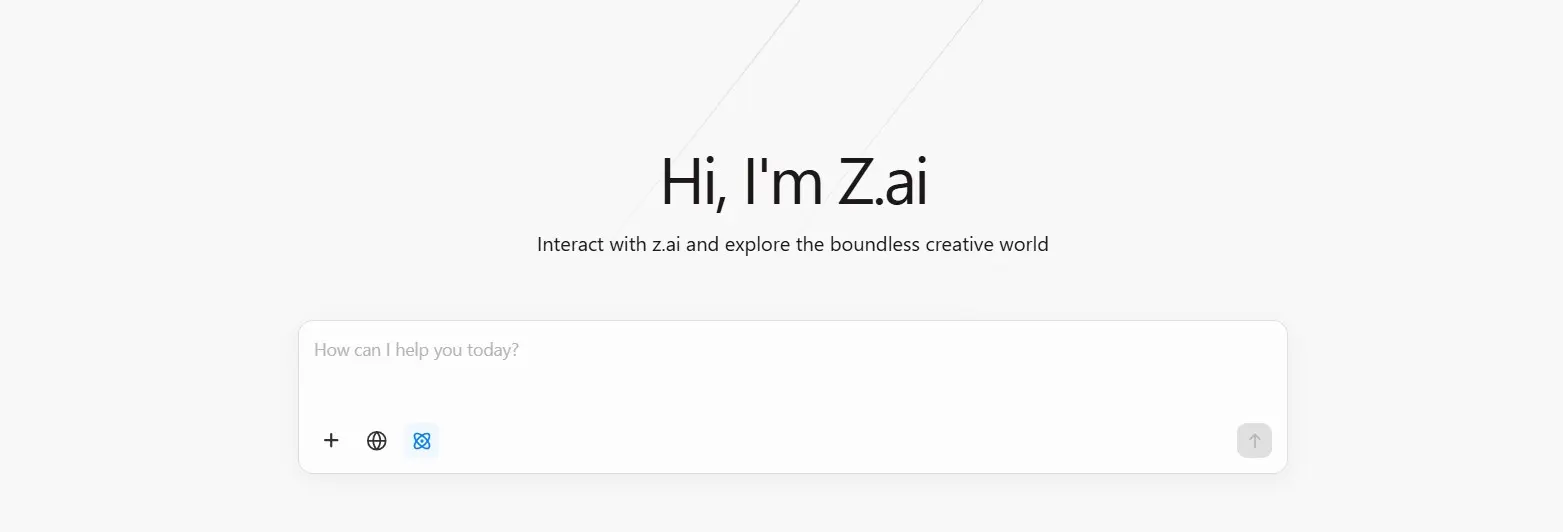
- Visit chat.z.ai – No complicated signup or payment required
- Explore the features – Test AI Slides, Data Insights, Writing Tools, and Magic Design
- Input your content – Paste lengthy documents without worrying about character limits
- Customize your output – Select tones, templates, and formats
- Download and share – Export in your preferred format
Monetization Opportunities with Z.AI
The platform opens multiple income streams:
Create Digital Products:
- Design comprehensive guides and ebooks
- Develop presentation templates
- Build niche-specific infographics
Offer Services:
- Presentation design for clients
- Data visualization services
- Content creation and copywriting
- Social media graphic design
Build Your Audience:
- Create valuable freebies to grow your email list
- Share infographics on Pinterest for traffic
- Develop YouTube content using AI-generated slides
Final Verdict: Is Z.AI Worth It?
Absolutely—and it’s free.
Z.AI isn’t just another ChatGPT clone. It’s a comprehensive AI powerhouse that combines:
✅ Unlimited content processing
✅ Professional presentation creation
✅ Advanced data visualization
✅ Flexible writing tools
✅ Stunning graphic design
✅ Multiple export formats
Whether you’re looking to streamline your workflow, create digital products, enhance your research, or simply access more powerful AI capabilities without paying premium prices, Z.AI delivers exceptional value.
The combination of no input limits, built-in design tools, and professional export options makes this one of the most versatile free AI tools available in 2026.
Try Z.AI Today
Ready to experience the next generation of AI assistance? Visit chat.z.ai and start creating professional presentations, visualizing complex data, generating stunning graphics, and processing unlimited content—all without spending a dime.