7 Best Free AI Model Comparison Websites in 2026: Test ChatGPT, Claude, Gemini, DeepSeek & More
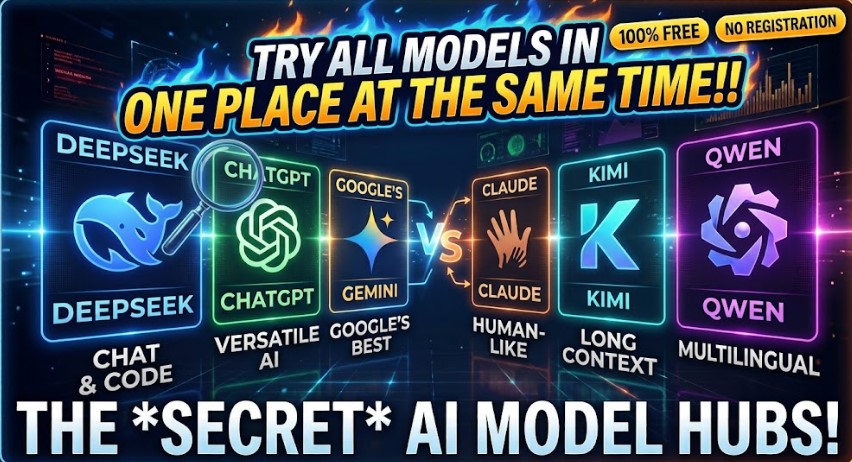
If you use artificial intelligence regularly, you have probably noticed that no single AI model is the best at everything. ChatGPT may be excellent for writing, Claude can be strong at long-form reasoning, Gemini can be useful for multimodal tasks, while models such as DeepSeek, Qwen, GLM, Kimi, and others may perform better for specific use cases.
But what if you could test multiple AI models in one place without paying for every individual platform?
In 2026, several websites allow you to compare and experiment with different AI models from a single interface. These platforms can save you time, help you discover better models, and make it easier to decide which AI model is right for your project.
In this guide, we’ll look at 7 websites for comparing AI models, including platforms such as Together AI, TryChat, NVIDIA’s AI playground, Ish.chat, ChatHub, and Arena AI.
Why Compare AI Models?
Before choosing an AI model for your website, application, business, or personal workflow, it is useful to test several models with the exact same prompt.

AI model comparison platforms allow you to:
- Compare answers from multiple AI models.
- Test different models without opening several websites.
- Find the best model for a particular task.
- Evaluate writing, reasoning, coding, and other capabilities.
- Experiment with newer AI models before integrating them into an application.
- Reduce the time required to switch between different AI providers.
- Compare AI-generated answers side by side.
Instead of asking, “Which AI model is the best?”, a better question is:
Which AI model performs best for my specific task?
The websites below make answering that question much easier.
1. Together AI — Test Multiple AI Models in One Place
The chat interface gives you access to a range of models from different providers. Depending on what is currently available, you may find models from families such as DeepSeek, Qwen, GLM, Kimi, FLUX, and others.
The main advantage is simplicity: choose a model, enter your prompt, and generate a response.
How to use Together AI for model comparison
The basic process is straightforward:
- Open the Together AI chat interface.
- Select an AI model.
- Enter your prompt.
- Generate the response.
- Compare the result with another model.
- Repeat the experiment with different models.
This makes Together AI particularly useful if you want to test an AI model before using it in a real project.
For example, you could give several models the same coding prompt and compare the quality of their solutions. You could also test a marketing prompt, research question, translation task, or content-generation request.
Best for: Developers, AI enthusiasts, and users who want to experiment with multiple models from one interface.
2. Tryingopen— Quickly Experiment With Different AI Models
Another platform highlighted in the video is TryChat, which provides access to multiple AI models through a single interface.
The platform allows you to select a model and submit a prompt without having to manually visit multiple AI services.
Depending on the models currently supported, you may encounter options from providers and model families such as DeepSeek, Qwen, Gemini, GPT, MiniMax, and others.
Why use TryingopenChat?
One useful feature is the ability to generate an answer and then work with that result further. You may be able to copy the response or download it for use elsewhere.
This can be useful when you’re researching a topic and want to see how different models approach the same question.

For example:
Prompt:
“Write a 500-word explanation of how generative AI works for beginners.”
You can run the same prompt through different models and evaluate:
- Accuracy
- Writing quality
- Structure
- Level of detail
- Creativity
- Factual consistency
Best for: People who want a simple way to experiment with multiple AI models.
3. NVIDIA AI Playground — Test Models Before Using Their APIs
It also provides tools for experimenting with AI models through its developer ecosystem.
The NVIDIA AI playground environment can be particularly interesting for developers because it lets you experiment with models before deciding whether they are suitable for an application.
The concept is similar to an AI model playground: select a model, enter a prompt, and inspect the output.
Why is an AI playground useful?
Suppose you’re developing an application and considering several different models.
Instead of immediately integrating an API into your application, you can first test the model’s output.
You might compare:
- Response quality
- Instruction following
- Reasoning performance
- Response speed
- Output style
- Suitability for your application
This type of testing can help developers make better decisions before committing to a specific model or provider.
Best for: Developers and teams evaluating AI models for applications and APIs.
4. Ish.chat — Compare AI Models From One Interface
Ish.chat is another platform designed around accessing multiple AI models in one place.
The platform lets users experiment with different models and compare their responses.
You may find models from different AI ecosystems, including options associated with GPT, Grok, DeepSeek, Claude, and other model families, depending on what the platform currently supports.
One of the advantages is that you don’t necessarily need to maintain separate interfaces for every model you want to test.
Getting started with Ish.chat
The general workflow is simple:
- Sign in.
- Select an available AI model.
- Enter your prompt.
- Generate the response.
- Review or export the result.
The platform can therefore be useful when you’re researching which AI model gives you the strongest answer for a particular task.
Best for: Users who want a centralized AI chat and experimentation experience.
5. ChatHub — Compare Multiple AI Models Side by Side
is one of the more interesting tools for side-by-side AI model comparison.
Instead of testing one model and then switching to another, ChatHub can allow you to put multiple models into separate columns and send the same prompt to all of them.
For example, you could configure four different models:
- Model A: Claude
- Model B: Gemini
- Model C: DeepSeek
- Model D: Another model of your choice
Then submit one prompt.
The platform can generate responses from the selected models so that you can compare them directly.
Why side-by-side comparison is useful
Imagine you need an AI to create a product description.
Rather than testing four models separately, you can send the same instructions to all four and immediately compare their outputs.
You can evaluate:
- Which response is more accurate?
- Which one follows your instructions better?
- Which one sounds more natural?
- Which model provides the best structure?
- Which response requires the least editing?
This approach can significantly speed up AI model evaluation.
Best for: Users who want direct, side-by-side comparisons between several AI models.
6. Arena AI — Compare AI Models Head-to-Head
is another popular option for comparing AI models.
One of its key concepts is side-by-side evaluation, where you can compare the responses generated by different models.
Instead of relying purely on model benchmarks or marketing claims, you can actually see how models respond to your own prompts.
How Arena AI comparison works
You can select two models and provide them with the same prompt.
For example:
Model 1: GLM
Model 2: Gemini
Then enter your question and generate the responses.
You can inspect both answers and decide which one performs better for your particular use case.
Arena-style comparisons are especially useful because AI model performance can vary considerably depending on the task.
A model that performs exceptionally well at coding may not necessarily be your preferred choice for creative writing. Similarly, a model that provides excellent long-form answers may not be the fastest option for a simple classification task.
Best for: AI enthusiasts, researchers, developers, and anyone who wants to compare model performance.
7. AI Model Playgrounds — A Better Way to Choose an AI Model
Beyond the individual platforms above, AI playgrounds are becoming an increasingly important part of the AI development workflow.
Instead of selecting a model based solely on its name or popularity, you can test several models against the same real-world prompts.
For example, if you’re building an AI content-generation system, you might test:
“Write a 1,000-word SEO article about electric vehicles for beginners.”
Run that prompt through several models and compare the results.
Then repeat the process with different tasks:
“Analyze this CSV data and identify the most important trends.”
“Write Python code to process this dataset.”
“Summarize this 30-page document.”
“Create five marketing headlines for this product.”
The model that performs best overall for your workload may be different from the model that ranks highest on a generic benchmark.
Which AI Model Comparison Website Should You Use?
There isn’t one universally best platform. The right choice depends on what you are trying to accomplish.
| Platform | Main Use | Best For |
|---|---|---|
| Together AI | Multi-model AI experimentation | Developers and AI users |
| TryChat | Testing multiple models | General users |
| NVIDIA AI Playground | Model experimentation | Developers |
| Ish.chat | Multi-model AI chat | General AI experimentation |
| ChatHub | Side-by-side comparisons | Direct model comparison |
| Arena AI | Head-to-head evaluation | Model testing and evaluation |
How to Compare AI Models Properly
Simply asking different models random questions isn’t always enough.
For a meaningful comparison, use a consistent testing process.
1. Use the Same Prompt
Give every model exactly the same instructions.
Changing the prompt between models makes the comparison less reliable.
2. Test Multiple Tasks
Don’t judge an AI model based on a single question.
Test different categories such as:
- Writing
- Coding
- Mathematics
- Reasoning
- Summarization
- Translation
- Research
- Data analysis
- Creative tasks
3. Evaluate Accuracy
A beautifully written answer isn’t useful if it contains incorrect information.
Check important claims against reliable sources.
4. Check Instruction Following
A strong model should follow your requirements closely.
For example, if you request:
“Give me exactly five bullet points.”
A good model should not produce twelve paragraphs.
5. Consider Speed and Cost
For applications, response quality isn’t the only factor.
You should also consider:
- API pricing
- Latency
- Context window
- Rate limits
- Availability
- Infrastructure
- Reliability
6. Test With Real Prompts
The best benchmark is often your actual workload.
If you’re building a customer-support chatbot, test customer-support questions.
If you’re creating code, test real coding problems.
If you’re producing SEO content, test actual SEO briefs.
Why AI Model Comparison Matters in 2026
The AI industry is evolving extremely quickly. New models are released regularly, and different models can have very different strengths.
As a result, choosing an AI model should not necessarily be a one-time decision.
A model that is your favorite today may be replaced by a newer, faster, cheaper, or more capable model tomorrow.
AI comparison platforms give users a practical way to test models continuously instead of relying exclusively on benchmarks or online opinions.
Frequently Asked Questions About Comparing AI Models
What is the best website for comparing AI models?
There is no single best website for everyone. ChatHub and Arena AI are particularly useful for direct comparisons, while platforms such as Together AI and NVIDIA’s AI ecosystem can be valuable for experimentation and development.
Can I compare ChatGPT, Claude, Gemini, and DeepSeek?
Yes. Several multi-model platforms provide access to multiple AI model families, although the exact models and availability can change over time.
Is there a free way to test multiple AI models?
Yes. Some AI comparison and playground platforms provide free access or free usage limits. Availability, limits, and supported models can change, so check the platform’s current terms before relying on a particular free tier.
Why should I compare AI models instead of using ChatGPT?
Because different models can have different strengths. One model might produce better code, another might be better at long documents, and another might be faster or cheaper for your application.
What is the easiest way to compare AI models?
The easiest approach is to use a platform that supports side-by-side model testing. Enter the same prompt into multiple models and compare their responses.
Which AI model is best for my project?
The answer depends on your requirements. Test the models using real prompts from your project and evaluate quality, speed, cost, reliability, and instruction following.
Final Thoughts
The biggest advantage of these AI model comparison platforms is simple: you don’t have to commit to one AI model before testing the alternatives.
Whether you’re a developer building an AI application, a content creator looking for the best writing model, a student experimenting with AI, or simply someone who wants better answers, comparing several models can help you make a more informed decision.
Platforms such as Together AI, TryChat, NVIDIA AI Playground, Ish.chat, ChatHub, and Arena AI provide different ways to experiment with multiple AI models from a centralized interface.
Instead of asking which AI model is “the best,” try a better approach:
Give several models the same task, compare their answers, and choose the one that works best for you.