The Hidden AI & Step-by-Step Masterclass: Building a Faceless YouTube Funnel That Actually Converts
The secret to a profitable faceless YouTube channel isn’t a magic AI button. It’s a precise, repeatable workflow that turns raw ideas into polished, conversion-optimized videos.
If you browse YouTube, you’ve seen the faceless channels racking up millions of views. The formula seems simple: stylized visuals paired with a crisp voiceover. But most creators fail because they treat AI video generators like slot machines—spamming random prompts and hoping for a viral hit.
Professionals do it differently. They use video not just for AdSense revenue, but as a strategic top-of-funnel engine to drive targeted traffic directly to their digital products.
To do this, you need a structured narrative engine, not a random clip generator. Here is the exact, click-by-click Standard Operating Procedure (SOP) for using Story Video Studio to build a high-converting video asset from start to finish.
The Exact 5-Phase Methodology
Do not skip these steps. This is the precise workflow to ensure your video is both visually engaging and strategically designed to sell.

Phase 1: Demand-Driven Ideation (The “Ask to Income” Bridge)
Never guess what to make a video about. Start with validated data.
- Open the Ask to Income tool within the Incomesify ecosystem.
- Select a niche (e.g., “Self-Improvement,” “Survival Hacks,” or “Life Coaching”).
- The tool will display real, high-volume questions people are asking daily (e.g., “How to become 1% better every day”).
- The Shortcut: Instead of copying the text manually, click the “Video Script” button. Choose Version A (for long-form YouTube) or Version B (for short-form).
- At the bottom of the generated script, click the button that says “Send to Story Video Studio.” This automatically transfers your topic and script into the video tool, pre-filled and ready for production.
The Hidden AI Tool to market E-Book: How to Turn Digital Content into a Viral Sales Machine
Phase 2: Studio Initialization & CTA Injection
If you are starting fresh in Story Video Studio, you will see two entry points. Choose the one that fits:
- “I have my script”: Paste your pre-written text here.
- “Start from an idea”: Type your core topic into the prompt box.
Crucial Step: Before generating, locate the optional fields labeled Digital Product and Call to Action (CTA).
- Insert the URL to your digital product.
- Write your specific CTA (e.g., “Click the link in the description to download the free survival checklist”).
The AI will now weave this promotional goal naturally into the video’s narrative.
Phase 3: Precision Configuration
Dial in the exact parameters of your video to match your brand identity:
- Format & Length: Toggle between “Short Videos” or “Long Videos.” Use the slider to set your target length (e.g., 30 seconds for a Short with ~6 scenes, or up to 10 minutes for a standard YouTube video).
- Visual Style: Select your aesthetic from the dropdown menu. Options include Stickman Expressive, Anime, Photorealistic, Flat Vector Illustration, Film Noir, and more.
- Voice Energy & Language: Choose the narration tone. Select “Educational/Clear” for tutorials, “Entertainment” for high-energy hooks, or “Story/Emotion” for motivational content. Set your target language (e.g., English).
Stop Building Massive Courses: This hidden “tiny-Product” Makes you a lot of money!
Phase 4: The Storyboard Refinement Loop
This is where you separate your video from generic, disjointed AI spam.
- Click the “Shape My Story” button. The tool will instantly generate a preliminary narration and scene breakdown.
- Click “Prepare My Story Plan.” This action locks in the prompts needed to generate your specific visuals.
- The interface will now display your Storyboard: a side-by-side view of the generated visual for each scene and its corresponding script segment.
- Quality Control: Do not accept the first draft. If a scene looks off, click the “Regenerate” button on that specific image or scene until it perfectly matches your narrative vision.
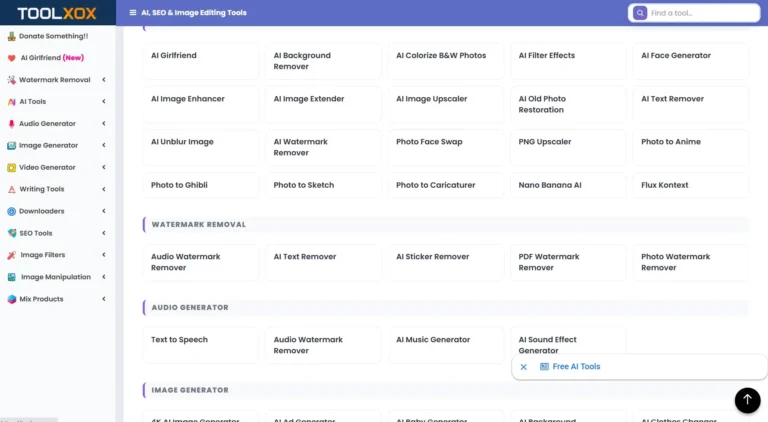
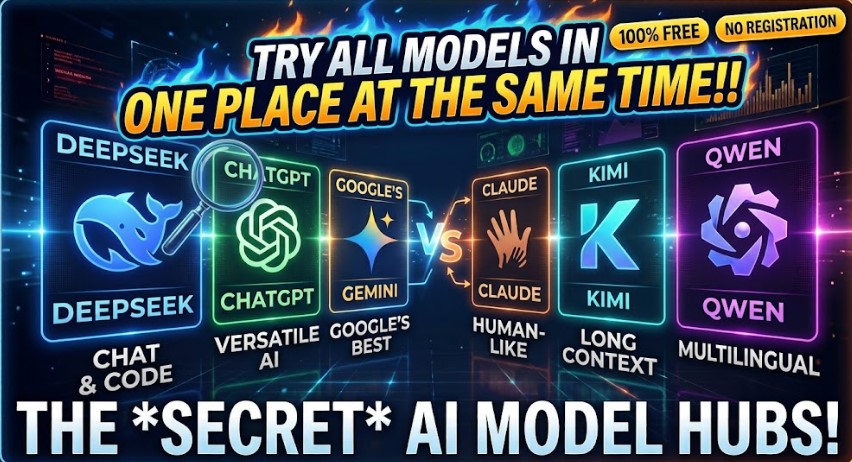
The Biggest 12 Free Platforms of 1000s AI, SEO, and Productivity Tools for 2026
Phase 5: Voiceover Sync and Final Render
- Navigate to the voiceover panel. You will see a curated list of high-quality, natural-sounding AI voices.
- Click “Preview” on different voices to find the one that best matches the “Voice Energy” you selected in Phase 3. (Alternatively, use the upload option to insert your own custom audio track).
- Once satisfied, click “Create Your Voiceover.” The tool will automatically sync the audio timing to your storyboard scenes.
- Click “Render My Video.” Within seconds, the engine compiles the visuals, audio, and pacing into a single, cohesive MP4 file.
- Click Download. Your video is now ready for immediate upload to YouTube, TikTok, or Instagram.
The Strategic Application: Turning Views into Revenue
The true power of this exact workflow is strategic alignment.
Let’s say you sell a “Digital Productivity Planner.”
Instead of making a generic video about “being productive,” you use Phase 1 to find the trending query: “How to organize your day when you have ADHD.”
You run it through the studio, selecting a “Flat Vector Illustration” style and an “Educational/Clear” voice. Because you filled out the CTA field in Phase 2, the script naturally concludes with: “If you want the exact template I use to structure my day, grab the free ADHD Productivity Planner at the link in my bio.”
You are no longer just a “YouTuber” hoping for algorithmic luck. You are a digital marketer using video as a highly scalable, automated acquisition channel.
The Reality Check: Avoiding the “AI Spam” Trap
Let’s be completely transparent. Having access to a powerful rendering engine does not give you a license to churn out 100 low-effort, misleading videos a day. Platforms are actively demonetizing and suppressing low-quality AI spam.
To use this tool professionally and sustainably, you must apply human oversight:
- Review the Script: Always read the AI-generated script to ensure factual accuracy and a natural, human flow.
- Curate the Visuals: Do not just accept the first image generated. Use the “regenerate scene” feature to ensure the visuals are cohesive and genuinely support the narrative.
- Provide Real Value: The video must actually answer the viewer’s question or solve their problem. The CTA should feel like a natural, helpful next step, not a jarring, desperate sales pitch.
Final Thoughts
The barrier to entry for video content creation has never been lower, but the barrier for attention has never been higher.
You cannot compete with generic, mass-produced AI noise. But by combining data-driven ideation, structured storytelling, and strategic product placement, you can build a content engine that works for you 24/7.
Stop overcomplicating video production. Define your audience’s problem, let the studio build the narrative, insert your solution, and hit render. The algorithm will reward consistency, but your audience will reward value.